Arrange the event
Add and reorder PDFs, give presentations a title and speaker, then lock the running order. Replace an updated PDF in the same slot.
Prepare an event
PDF presentation control for live events
Your presentation under control.
See the current slide, follow what comes next and navigate from a private Presenter View. A separate audience window shows only the slide.
In developmentFirst release: free Beta. Availability
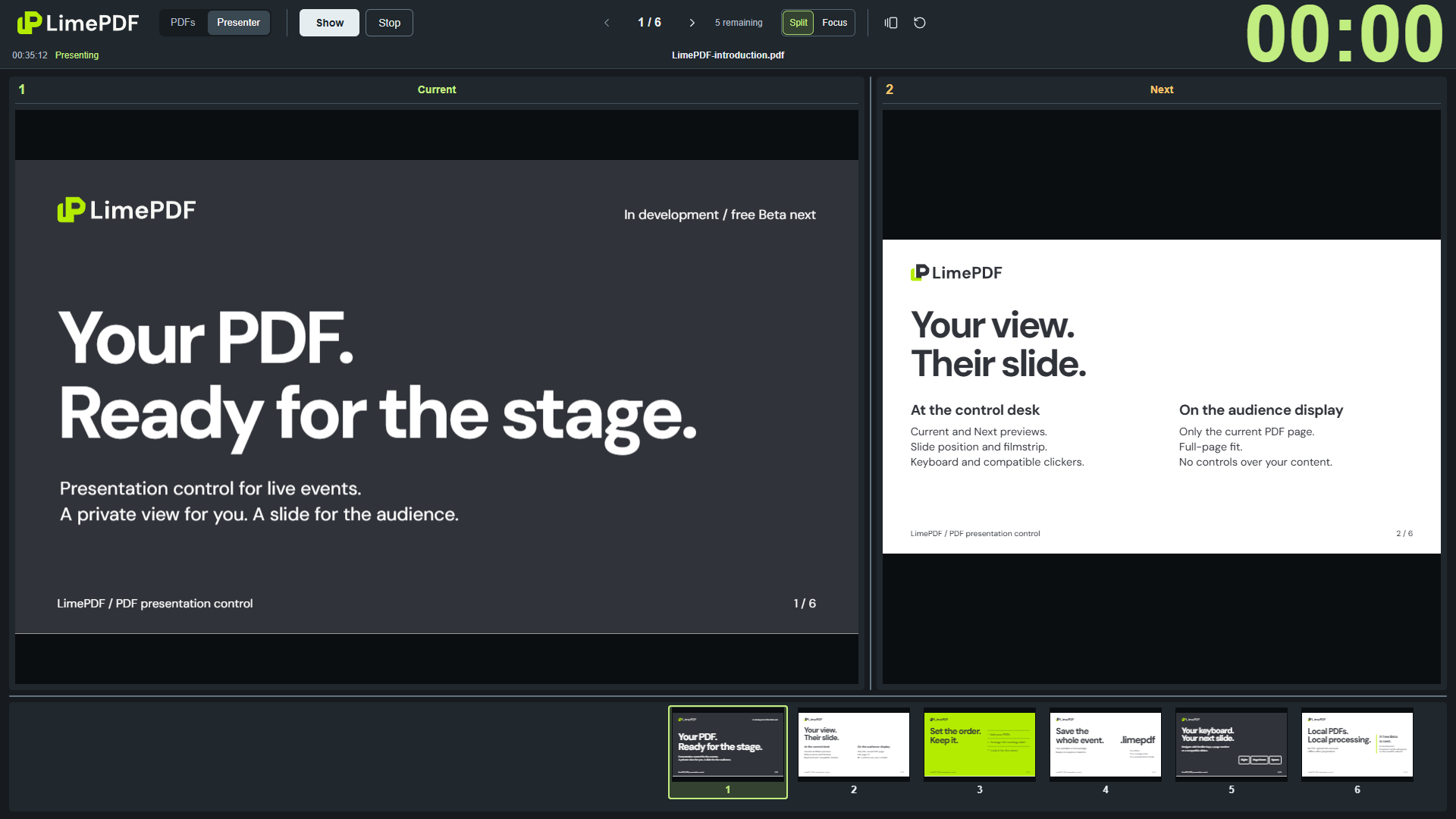
Current and Next previews, slide position and a filmstrip. Keep your place and see where you are going.
Only the current slide. The whole page fits proportionally, with no controls or branding over your presentation.
A speaker support monitor can receive the same Presenter View through your AV setup.
Split keeps Current and Next side by side, with a horizontal filmstrip. Focus gives the current slide more room, with the filmstrip on the right.
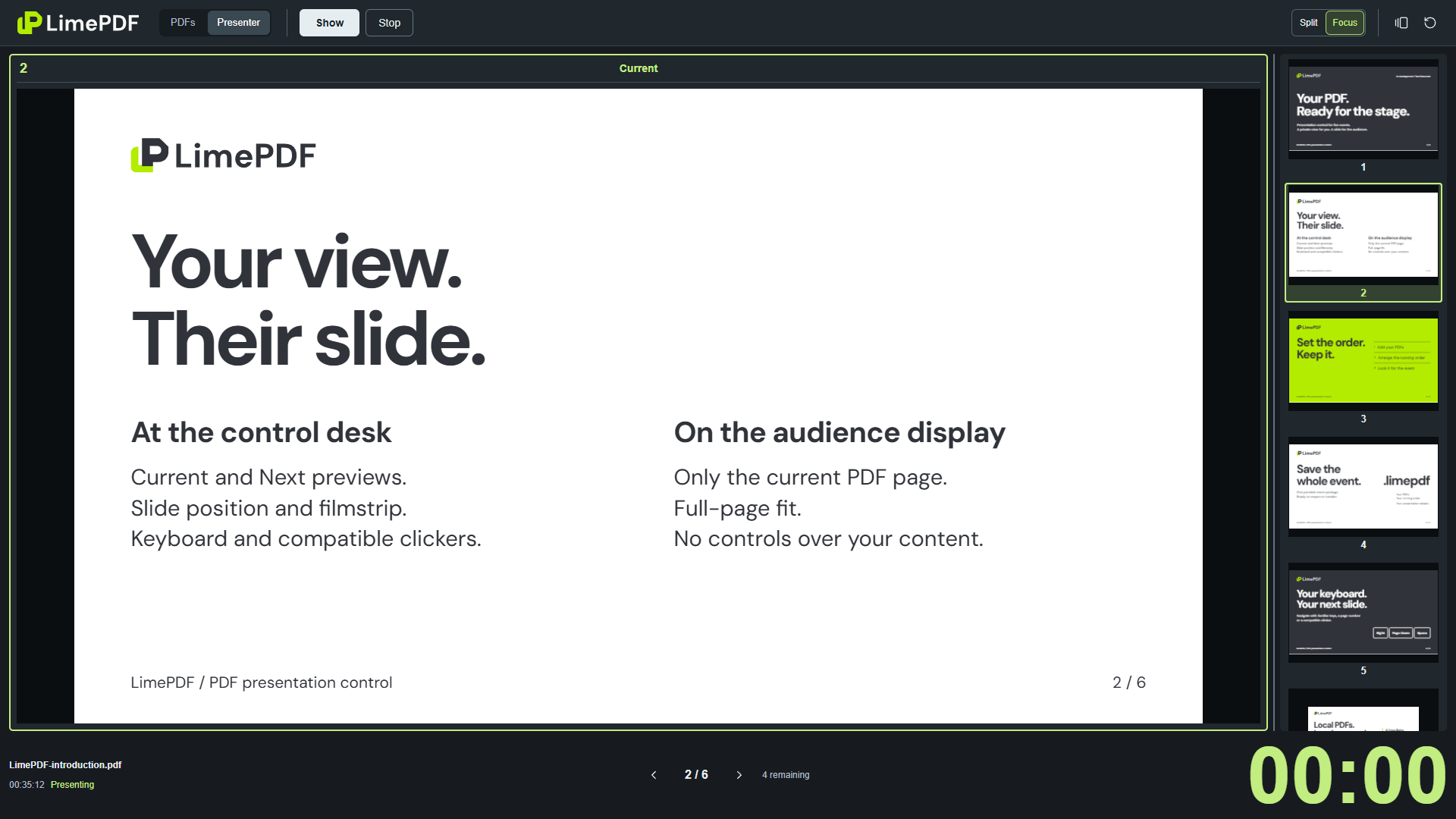
Switch views without losing your position or elapsed time. Resize the areas directly; the previews redraw as you adjust them.
Scroll through thumbnails to look ahead. Selecting one changes the slide; scrolling alone leaves the audience output unchanged.
Dashboard and navigation HelpPrepare the presentations before the room fills. Keep the order you set, from the first PDF to the last.
Add and reorder PDFs, give presentations a title and speaker, then lock the running order. Replace an updated PDF in the same slot.
Prepare an eventSave a portable .limepdf event with the PDFs, their exact order and associated event data. Reopen it for another session or transfer it to another computer.
Save and reopenUse the keyboard, a compatible clicker or a page number to navigate. The last slide stays put; the next PDF never starts automatically.
See the controlsLocal processing, with no PDF upload or account. After initial app preparation, LimePDF can work offline. Use Check event to verify the documents and local resources before the event.
Save your event explicitly to keep a copy. Reloading the app requires reopening the event or PDFs.
Local use and offline preparationLimePDF is being prepared for its first public release. Access and browser installation details will appear here when it is ready.